
Quantum Macro
A downloadable software for Windows
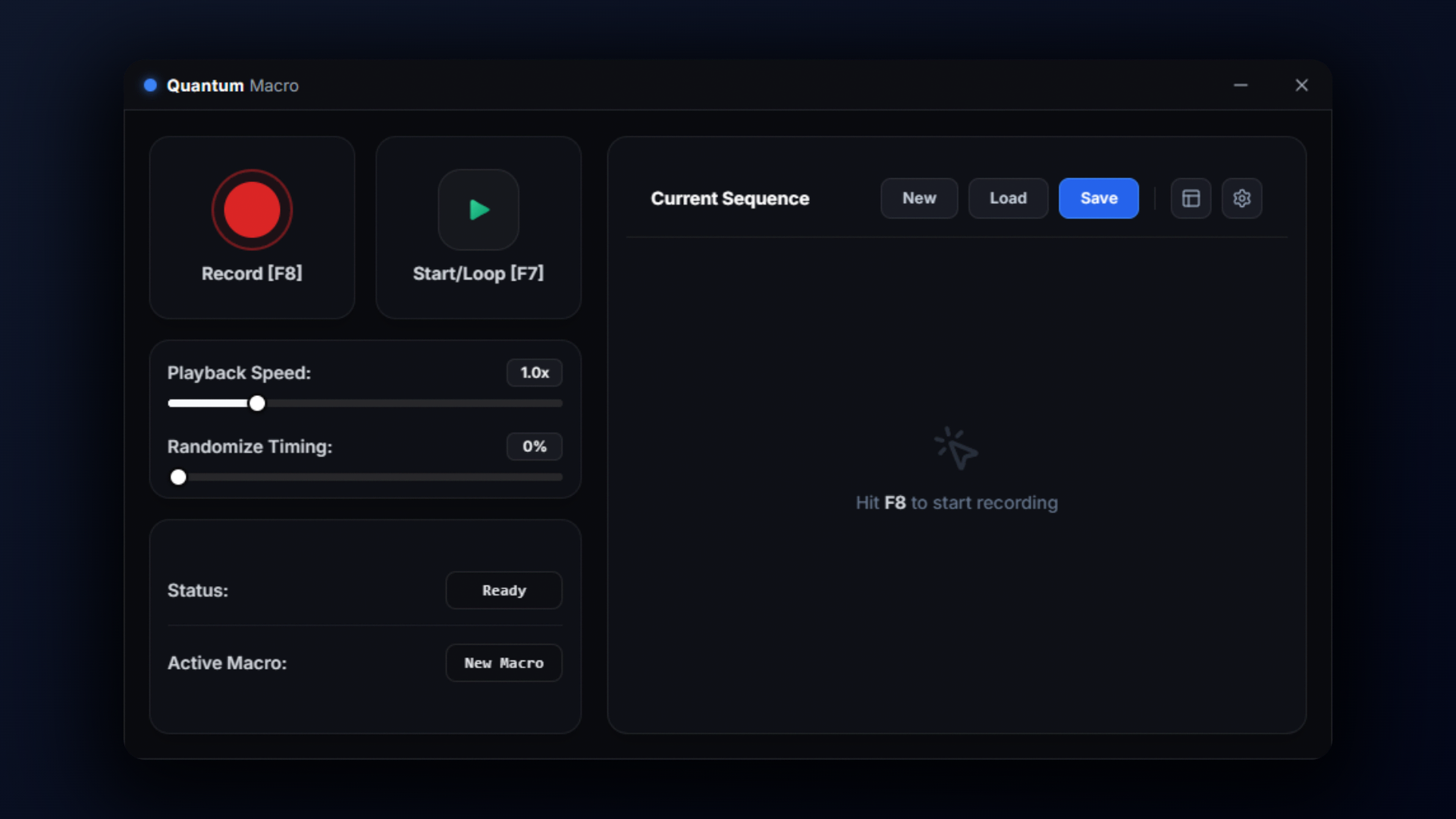
Most macro recorders and automation tools for Windows feel like they were built in 2007. They're either clunky, bloated with background services, or require you to learn an entire scripting language just to click a button on repeat.
I built Quantum because I wanted something fast, lightweight, and actually pleasant to use. Everything runs locally on your machine with zero bloat and precise timing.
Core Features (Free Forever)
The core macro engine is 100% free. You don't have to pay anything to record, loop, and run your macros:
- Clean Recording & Replay: Records your clicks, mouse paths, and key presses without stutter or input drift.
- Desktop HUD: An overlay that shows whether your macro is running, current playback speed, loop count, and elapsed time.
- HUD Studio: Customize the HUD's size, opacity, borders, corner roundness, and glow styling.
- Loop & Speed Controls: Loop endlessly, pick a fixed loop count, add random delays between actions, or speed playback up.
- Emergency Stop: Hit
Deleteto kill running macros instantly if something goes wrong. - No Bloat: Closes completely when you exit. No hidden background services, telemetry, or auto-start bloatware.
- System Tray Support: Minimizes cleanly to the tray when you want it out of the way.
Free vs. Pro Edition
If you need macros that react to what is actually on your screen, Quantum Pro ($15) unlocks the computer vision engine:
| Feature | Free | Pro ($15) |
|---|---|---|
| Mouse & Keyboard Macro Recording | ✔ Included | ✔ Included |
| Desktop Telemetry HUD & Studio | ✔ Included | ✔ Included |
| Speed Controls, Delays & Emergency Stop | ✔ Included | ✔ Included |
| Image & Icon Template Matching | — | ✔ Unlocked |
| Screen OCR (Text Recognition Triggers) | — | ✔ Unlocked |
| Multi-Target Priority Chains & Custom Glide Speeds | — | ✔ Unlocked |
| License Type | Free Forever | Perpetual 1-PC License |
Downloads
| File | Type | Details |
|---|---|---|
| QuantumSetup.exe | Installer (Recommended) | 1-click setup wizard with automatic updates and desktop shortcuts. |
| Quantum-Portable.zip | Portable (.zip) | Standalone archive. Unzip and run Quantum.exe directly with zero installation. |
System Requirements
- Operating System: Windows 10 (64-bit) or Windows 11.
- Runtime: Microsoft Edge WebView2 Runtime (Already installed on almost every modern Windows PC; the installer will let you know if you need it).
Community & Support
Have questions, ran into a bug, or want to suggest an improvement? Join the Discord:
Download
Click download now to get access to the following files:
License
Support this software at or above a special price point to receive something exclusive.
Quantum Pro (Lifetime License)
Quantum Pro — Lifetime License Key
Buying this gives you one official Quantum Pro license key (bound to one PC). It shows up right on your screen after checkout, gets emailed to you with your receipt, and is saved to your itch.io account.
How to activate: Open Quantum > click the OpenCV tab > enter your key > click Activate. The app will automatically download the OpenCV files and unlock the vision tools.
Leave a comment
Log in with itch.io to leave a comment.